

Alerts
When something goes wrong, the right person knows.
A failed inspection answer (with Inspections), a reading over a line (with Asset Register), a date coming close, or someone scanning a QR code to report a problem: the alert goes to the right person.
- Anyone can report a problem with one scan.
- The right person is told at once, and someone above them if nothing happens.
- Every problem followed through until it is fixed.
Free trial. No card. Cancel any time.

The old way
Three people think someone else told them
- A broken gate is spotted on Tuesday and mentioned to whoever is nearby. By Thursday three people think someone else reported it, and the tenant is still waiting.
QR alerts
QR codes that turn a problem into action
Put a QR code where problems happen. Whoever spots one scans it and reports it in a few taps. The right people are told straight away, and the alert is followed through until it is dealt with. Issues stop getting lost.
Real example: Tirepoint, a Magna Tyres Group company, uses PremHQ alerts to automate and streamline its breakdowns. Each one is reported, reaches the right team, and is tracked until it is sorted.
Service businesses
A QR on the equipment you look after, so a client logs a call-out with one scan and the job goes to whoever you choose.
Hospitality
A QR in a room, at the pool or in the kitchen to report a fault.
Property
A QR in the lobby for a broken gate or a leaking tap.
How it works
Three steps, start to finish
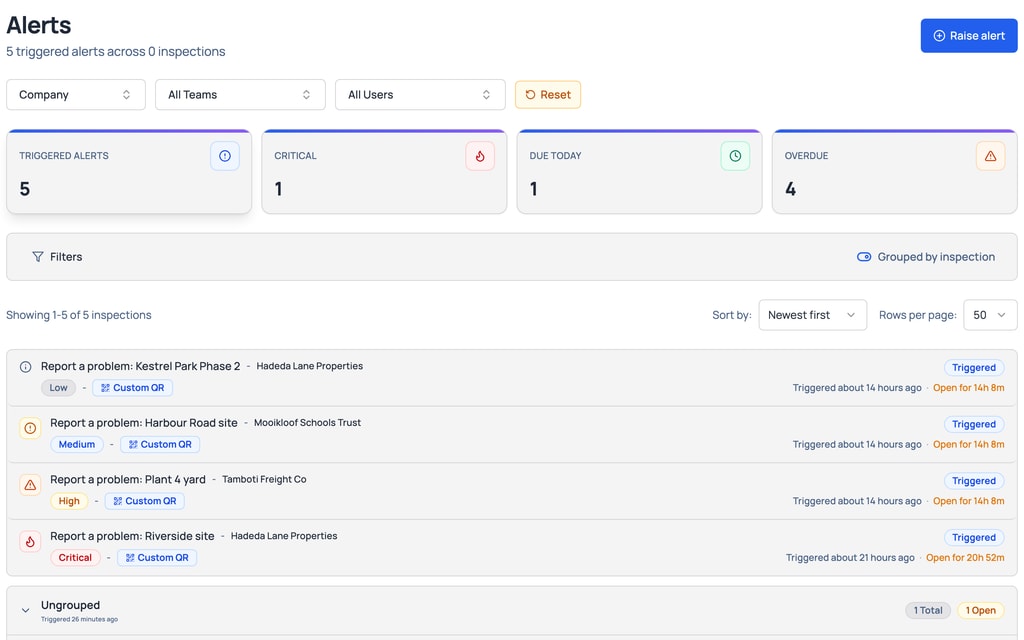
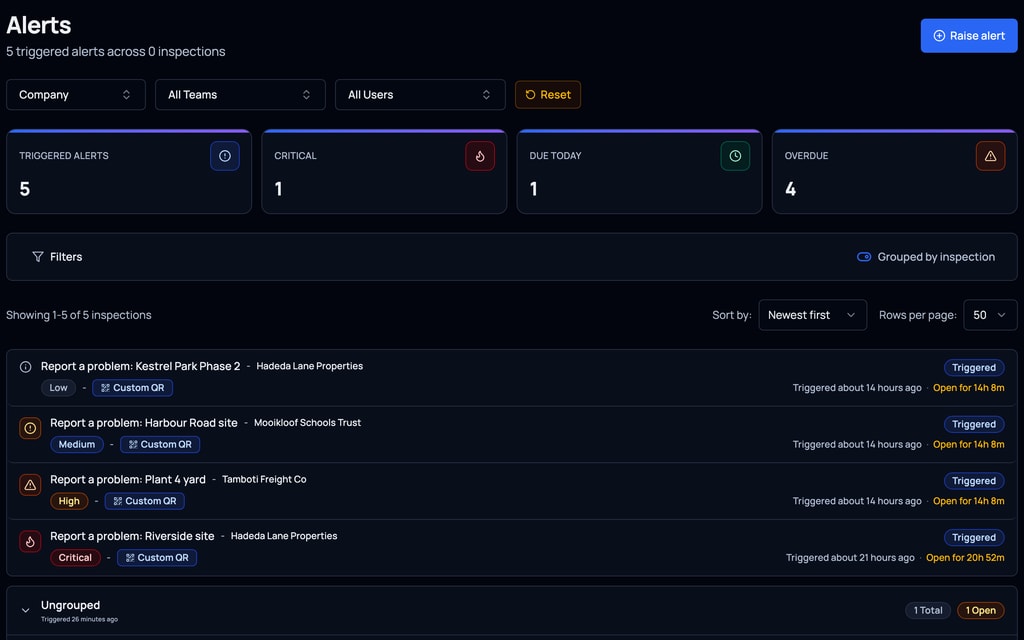
Step 1
Every alert is in one place, with what is Critical, what is due today and what is overdue.
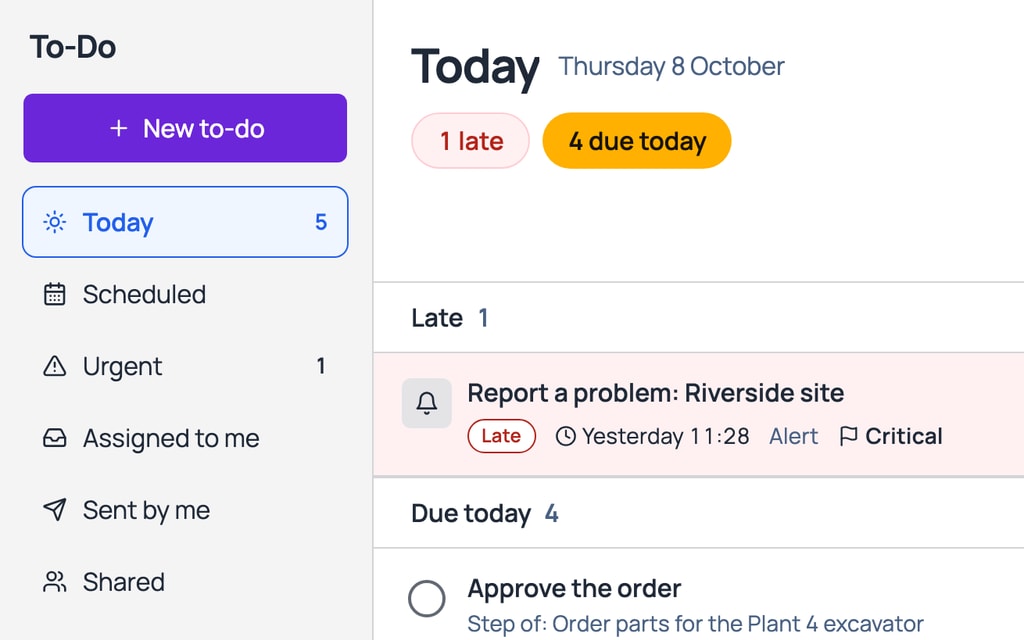
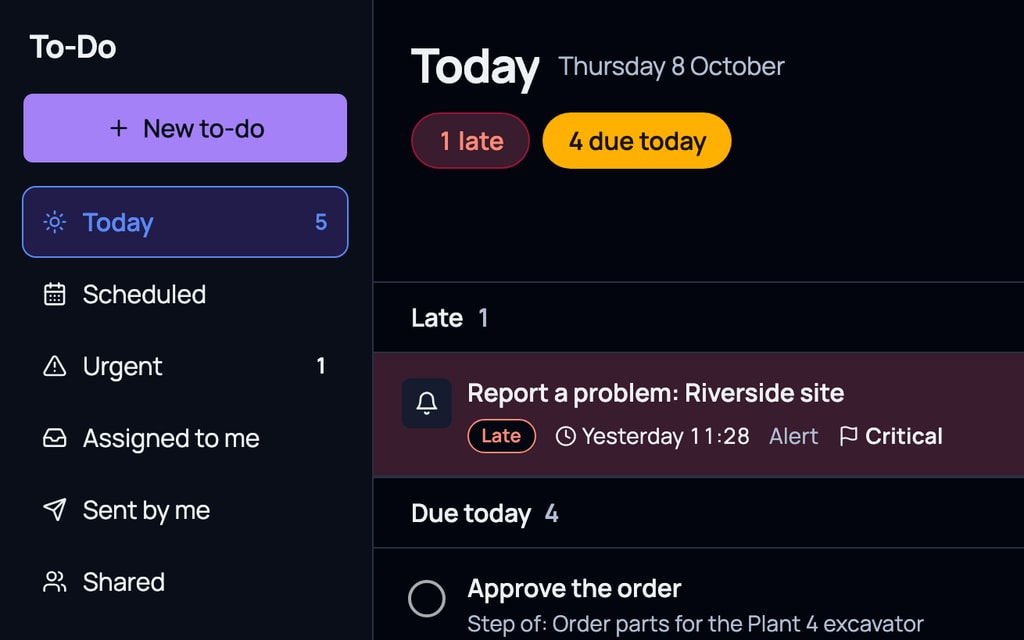
Step 2
It lands in the To-Do of whoever must act, marked Critical and late when it is.
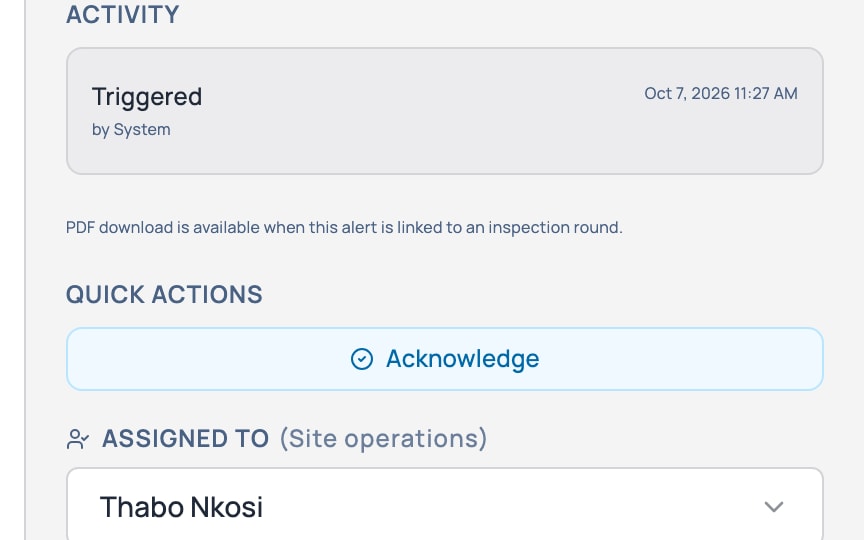
Step 3
They acknowledge it, or hand it to someone else to deal with.


What it does for you
What it does for you
Know the moment a check fails (with Inspections).
Late inspections: be told if one is not started, or not finished, in the time you pick (with Inspections).
Readings and dates on assets, like a service due or a licence about to lapse (with Asset Register).
QR posters and labels: scan one to report a problem, such as a broken gate or a leaking tap.
Raise one for a client from the office, without a scan.
Low, Medium, High or Critical.
Send it to named people, or by role. It still finds the right person when staff change.
Give the alert to anyone to deal with, and hand it on if needed.
Add a form to an alert at any time, such as a repair report or a quote (with Inspections).
Nobody acting? Someone above them is told, until it is handled.
By trade
Real problems, reaching the right person
Real estate
A tenant scans the QR in the lobby to report a broken gate. The property manager is told, and if nobody acts in 2 hours, so is their manager.
Construction
A failed harness check on the prestart raises a Critical alert to the site manager.
Field service
A van passes 10,000 km since its last service, and the fleet manager is told.
Works with To-Do
Every alert lands in a To-Do
- Every alert lands in the To-Do of whoever must act on it. With Inspections, the forms it asks for are your own workflows.
- Goes well with Asset Register: Alerts on readings and dates, like a service due or a licence about to lapse.
- Goes well with Inspections: Alerts on any answer that goes wrong.
Included in every plan
Every plan has a minimum of R 299 a month, excluding VAT, for your whole company, not per person. If your bill comes to more, you pay that instead.
Show prices in
Questions
What people ask
Who is told about an alert?
The people you name, or a role such as the person’s manager. If nobody acts, someone above them is told.
Can someone report a problem without logging in?
Yes. They scan a QR code where the problem is and report it in a few taps.
Can an alert ask for a form?
Yes, with Inspections. Add a form to an alert at any time, such as a repair report or a quote.
What does it cost?
It comes with every plan. Every plan has a minimum of R 299 a month, excluding VAT, for your whole company, not per person. If your bill comes to more, you pay that instead.