

To-Do
Your work, in your own list.
Your alerts and to-dos in one list that is only yours. Inspections, clock duty and leave to approve join it when you add those modules.
- Everything you must do, in a list made for you.
- Big jobs in steps, so you see what is done and what is next.
- See what is done, what is late, and who has it.
Free trial. No card. Cancel any time.

The old way
Work handed out in passing
- Jobs handed out on WhatsApp, by email and in passing. Each person keeps their own list in their head, and the boss finds out what slipped when a client calls.
How it works
Three steps, start to finish
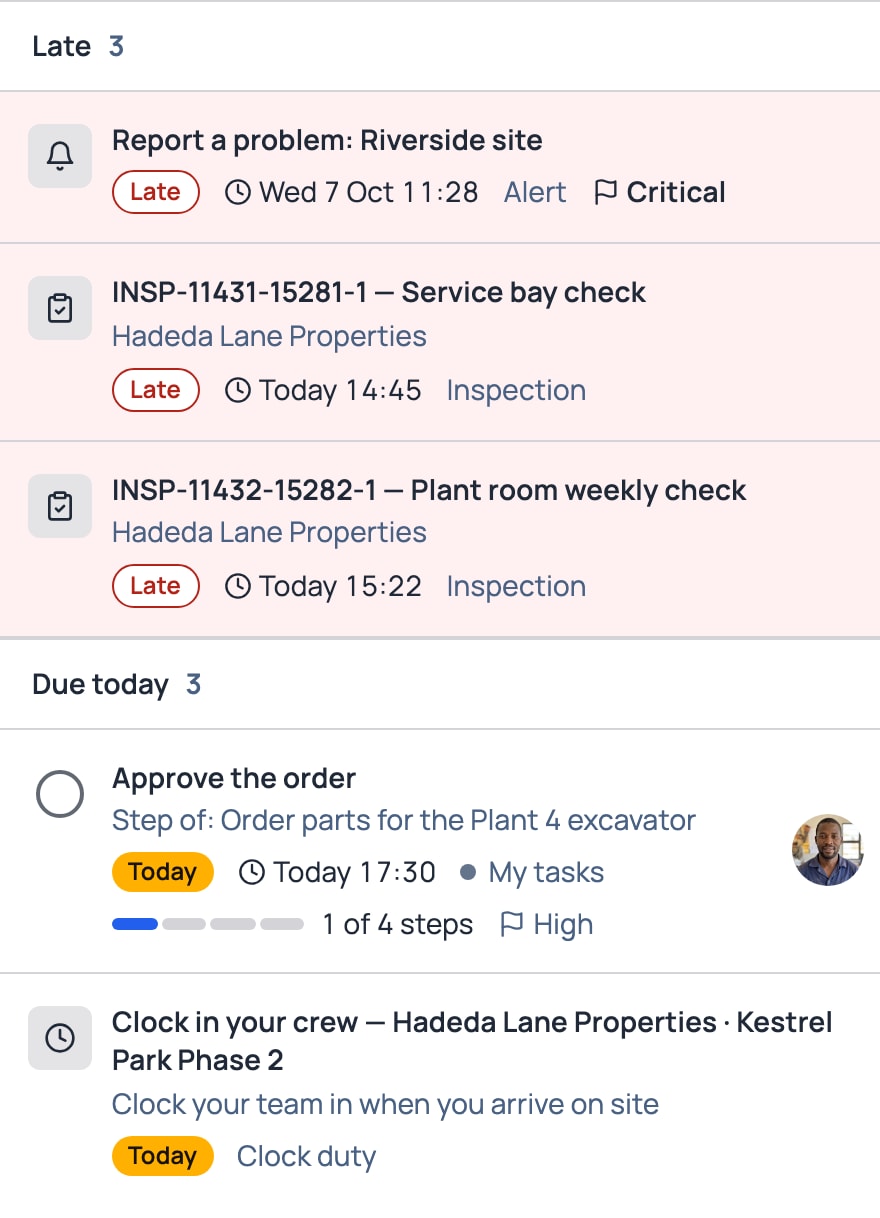
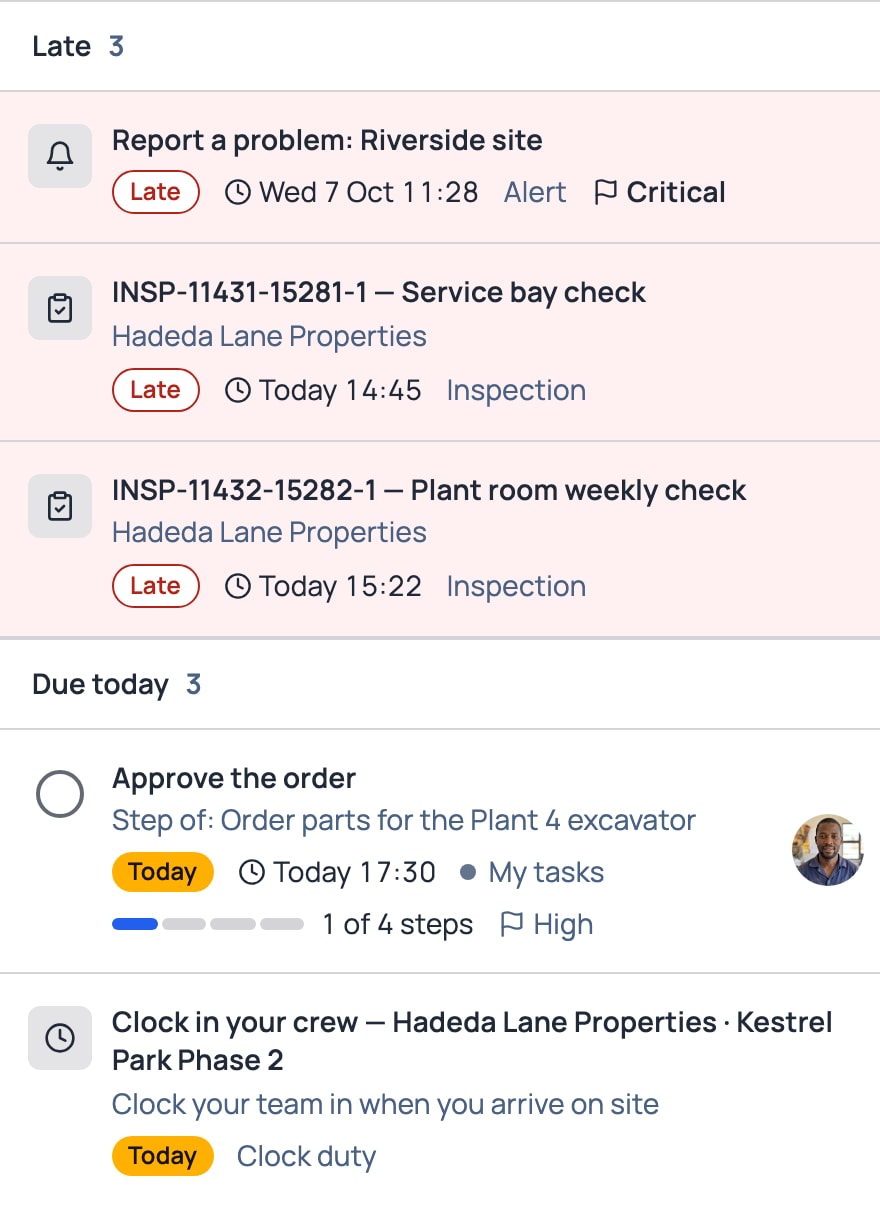
Step 1
Work arrives on its own: alerts, plus inspections, clock duty and leave to approve when you have those modules.
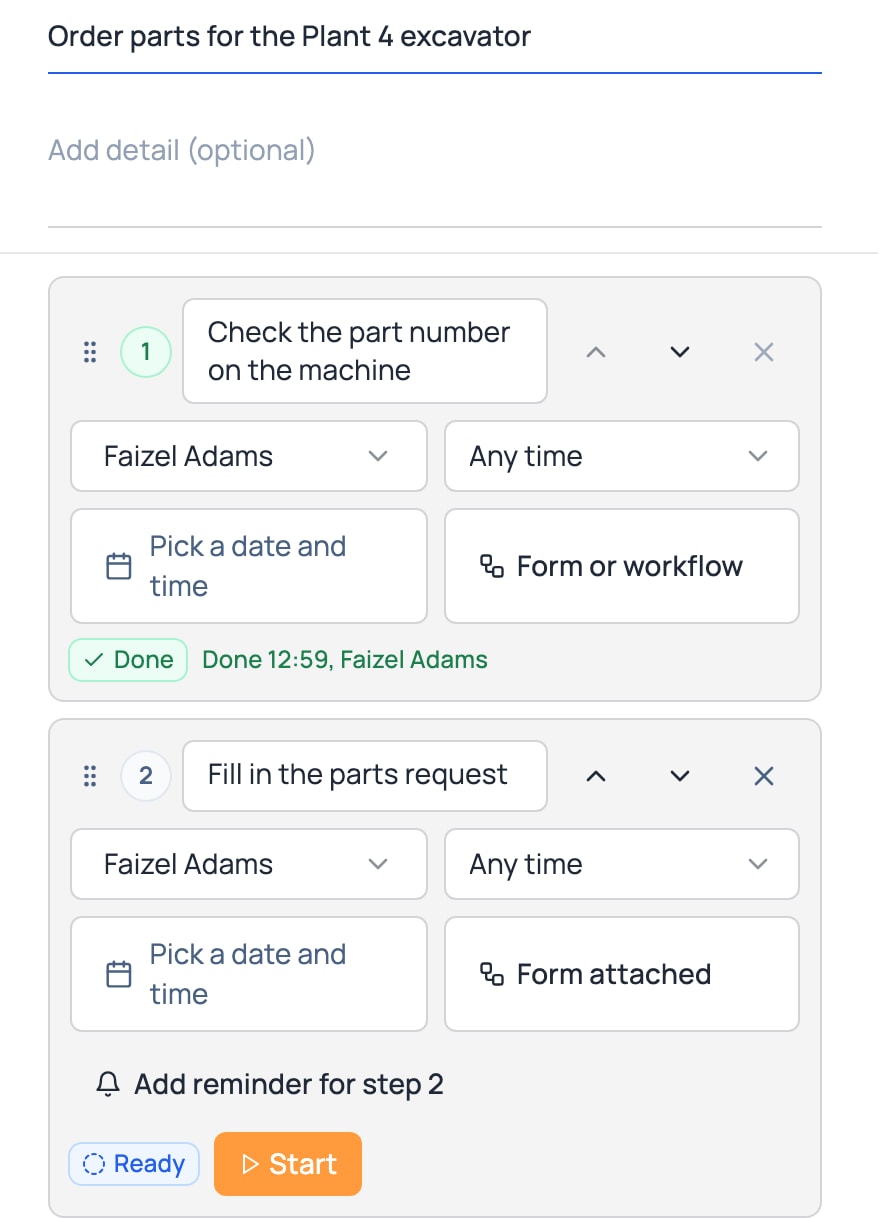
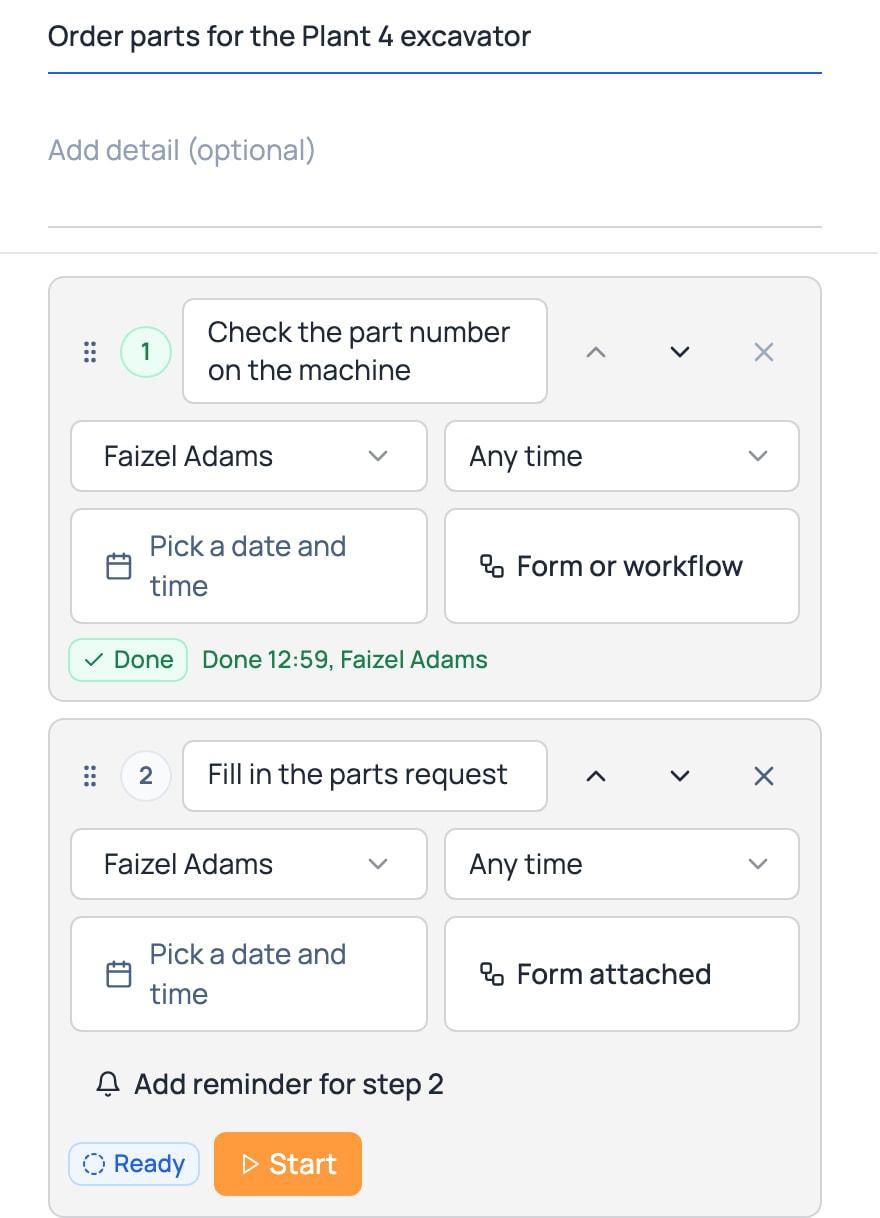
Step 2
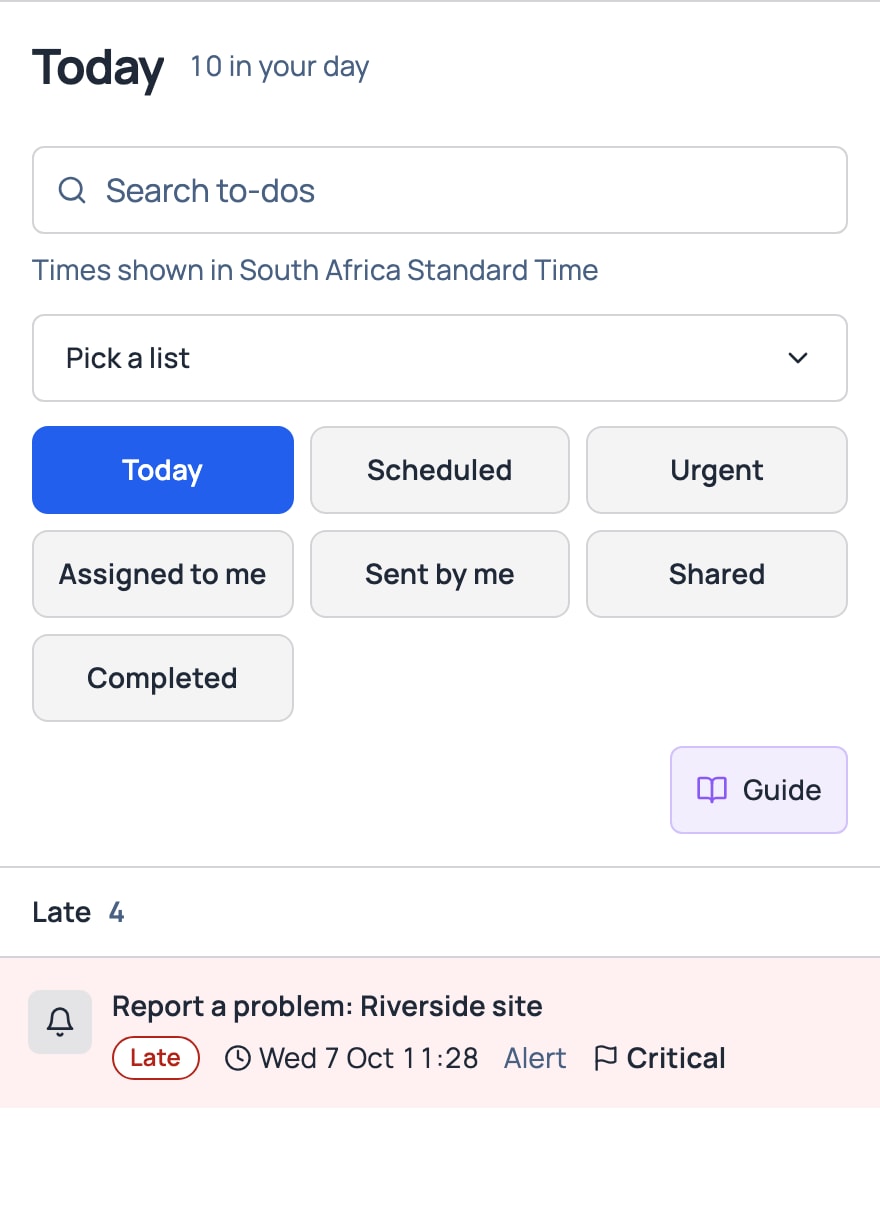
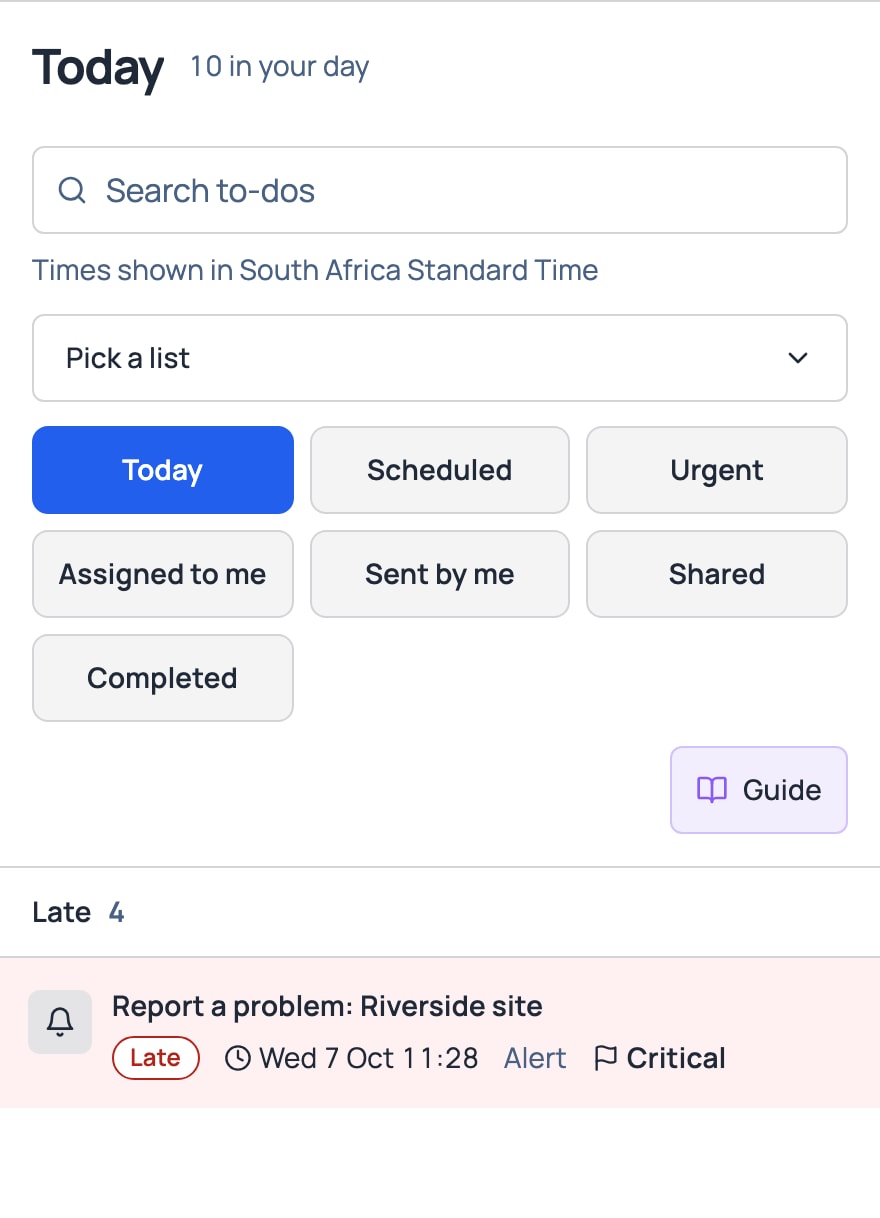
Open a job and do it right there, step by step. On a wide screen the list and the open job sit side by side. On a tablet the job opens over the list.
Step 3
See what is due today, what is late and what you handed out. When it is done, you can see it.


What it does for you
What it does for you
Make your own lists, as many as you need, each with its own name and colour.
A private list is yours alone. A shared list is seen by the people you invite.
Nothing is dropped when someone leaves a list or the company.
Big jobs in steps, so you see what is done and what is next.
With Inspections, a step can carry a form or workflow. Press Start and the person fills it in, step by step.
Reminders until it is done.
To-dos that come round on their own.
Priority from Low to Critical.
See today, what is urgent, and what you handed out.
A report of what was done, and whether it was on time.
By trade
Real days, in a To-Do
Real estate
An agent’s Monday: two move-out inspections, an alert from a tenant who scanned the lobby QR about a broken gate, and a to-do to collect keys.
Construction
The foreman’s morning: crew clock duty, the daily prestart, and a defect alert from yesterday’s plant check.
Field service
A technician’s day: three jobs, a van service due, and a to-do with steps to order a part.
What lands in it
Work arrives on its own
- Alerts land in the list of whoever must act, and only theirs. So do inspections, workflow jobs, crew clock duty and leave to approve, with Inspections, Time & Attendance or Leave.
- To-dos with dates show on the calendar.
Included in every plan
Every plan has a minimum of R 299 a month, excluding VAT, for your whole company, not per person. If your bill comes to more, you pay that instead.
Show prices in
Questions
What people ask
What shows up in my To-Do?
Alerts you must act on and your own to-dos. With Inspections, Time & Attendance or Leave, also the inspections and workflow jobs you must do, crew clock duty and leave you must approve.
Can I add my own to-dos?
Yes. Add a to-do with steps, people and due dates, and put it in a list you name.
Who can see my list?
A private list is yours alone. A shared list is seen by the people you invite.
What does it cost?
It comes with every plan. Every plan has a minimum of R 299 a month, excluding VAT, for your whole company, not per person. If your bill comes to more, you pay that instead.